
How to Choose the Best Image Generation Models for Your Needs
Discover the key factors to select the ideal image generation AI model for your creative projects.

In recent years, generative AI has rapidly advanced in image generation capabilities, transforming from simple text-to-image tools into highly sophisticated creative instruments. As someone who has experimented with these technologies, I've seen firsthand the impressive visual quality and semantic understanding they can achieve.
The Flourishing Garden of Models

Today's creators face an embarrassment of riches: from the established pioneers like MidJourney and Stable Diffusion to newer entrants like Flux, Ideogram, and Recraft, each pushing the boundaries of detail and control in their own distinct ways. Google's Gemini Flash 2.0 Image Generation Model and OpenAI's GPT-4o-image model have seamlessly integrated image generation into their native multimodal frameworks, leveraging the Transformer architecture's exceptional semantic comprehension
This abundance creates a genuine dilemma for creators. Which model best serves my specific needs? When is GPT-4o-image model's remarkable semantic understanding worth its cost and speed tradeoffs? How do I navigate the strengths and weaknesses of each system?
After extensive testing across various creative scenarios, I'm sharing my comprehensive evaluation of today's leading image models to help cure your "choice paralysis."
The Contenders
My evaluation focuses on these standout models:
Flux Pro 1.1 Ultra: Black Forest Labs' flagship model leveraging Flow Matching architecture, known for exceptional image quality
GPT-4o-image: OpenAI's latest offering, harnessing its multimodal language core to drive image generation with unparalleled instruction comprehension
Ideogram v3: Balancing photorealism with creative design, featuring industry-leading text rendering capabilities ideal for marketing and branding
Recraft v3: The designer's companion, offering vast style options and uniquely capable of generating vector graphics (SVG)
Gemini-2.0-flash-image-generation: Google's native multimodal contender, seamlessly blending conversation and image creation while maintaining character and style consistency across iterations
Flux Kontext: Black Forest Labs' interactive generation model emphasizing precise image editing through multi-turn instructions
The Way of Evaluation
Here’s how the evaluation process works: First, I created a dedicated tool for each image model in ConsoleX AI—the AI studio I use daily. Then, I used a chat interface to have the large model call different image tools to generate pictures for comparison.
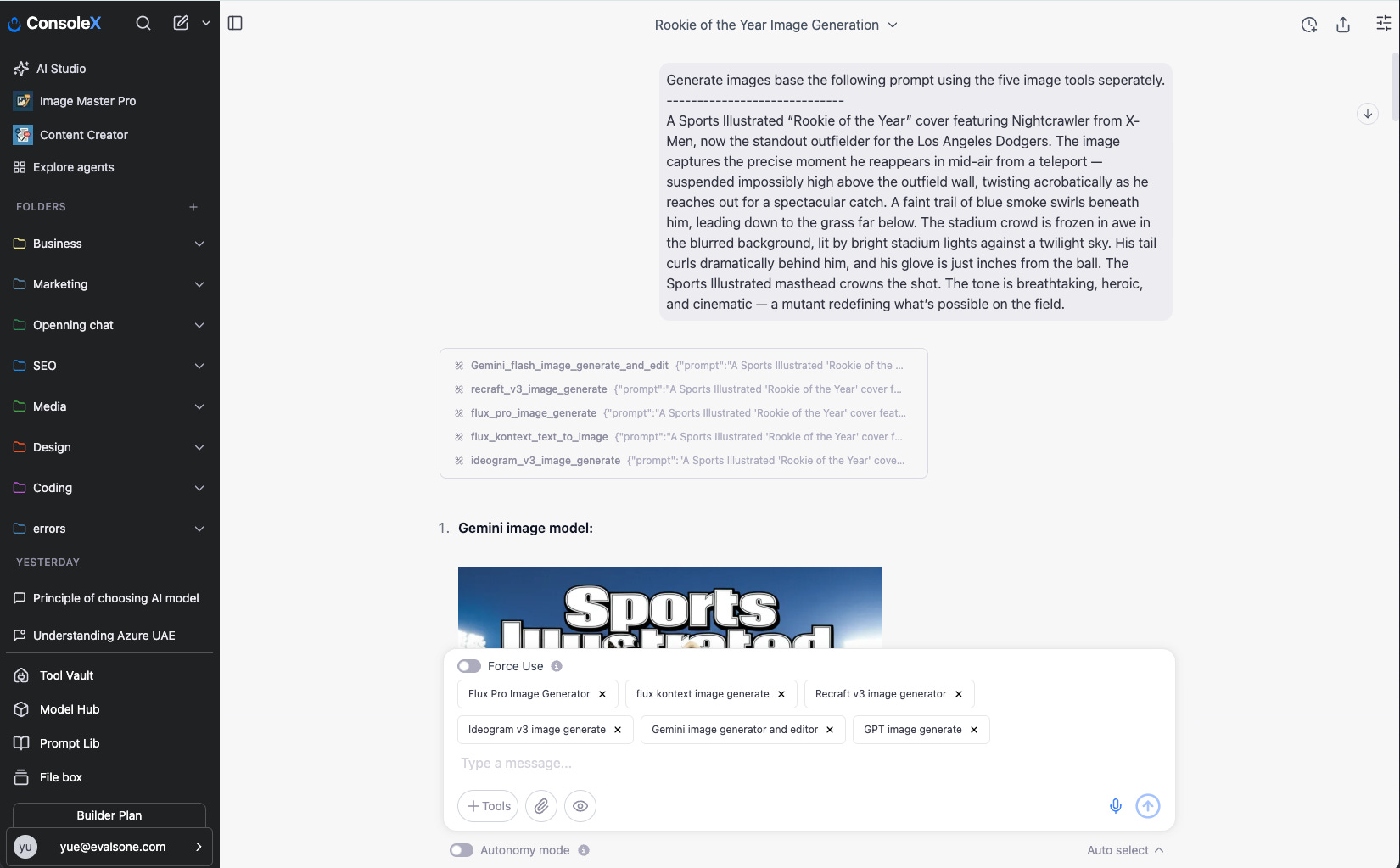
I did not include MidJourney and Stable Diffusion models in the evaluation, despite their popularity. This is mainly because MidJourney lacks an official API for direct integration, and Stable Diffusion models produce output effects very similar to those of Flux Pro models.
The Image Generation Arena
Test 1: Simple Prompt Comprehension
I began with a straightforward prompt:
A fuzzy bunny next to a glass of wine in my kitchen.
Most image models performed adequately here, with Gemini-flash produced somewhat basic visuals, Ideogram v3 leaned toward a commercial advertising aesthetic, while Flux models achieved the most photorealistic results.


The sequence of images generated by models is: 1. Flux Pro, 2. Flux Kontext, 3. Ideogram v3, 4. Recraft v3, 5. Gemini Flash, and 6. GPT Image. This order will be consistently applied in all subsequent tests.
Test 2: Complex Semantic Understanding
The real differentiation emerged with this elaborate prompt:
A Sports Illustrated “Rookie of the Year” cover featuring Nightcrawler from X-Men, now the standout outfielder for the Los Angeles Dodgers. The image captures the precise moment he reappears in mid-air from a teleport — suspended impossibly high above the outfield wall, twisting acrobatically as he reaches out for a spectacular catch. A faint trail of blue smoke swirls beneath him, leading down to the grass far below. The stadium crowd is frozen in awe in the blurred background, lit by bright stadium lights against a twilight sky. His tail curls dramatically behind him, and his glove is just inches from the ball. The Sports Illustrated masthead crowns the shot. The tone is breathtaking, heroic, and cinematic — a mutant redefining what’s possible on the field.
This multilayered prompt included specific character elements, action sequences, visual effects, atmosphere requirements, and thematic underpinnings.
The results were revealing: All other models struggled significantly with comprehending prompts completely, often missing critical elements or misinterpreting the scene. The GPT-image model showcased remarkable semantic understanding and precision in following instructions.


Test 3: Functional Structure Understanding
Testing abstract "pseudocode" prompts like:
UltraRealisticPhoto(3, Photo(0, Scene(tiger), 3, MadeEntirelyOutOf(lillies)))
This describes an ultra-realistic photo-style image, where:
The main subject is a tiger (Scene(tiger)).
The image is photo-based, and the number values (like 0, 3) likely refer to stylistic or priority weights (e.g., detail level or prompt strength).
Importantly, the tiger (or possibly the entire scene) is made entirely out of lilies (MadeEntirelyOutOf(lillies)), suggesting a surreal or artistic transformation.
The outer layer UltraRealisticPhoto(3, …) likely sets the overall tone and quality level — in this case, very high realism.
It turns out that most models will misinterpret this scripted prompt, only GPT-image model can work it out.


Test 4: Logo Generation
Let’s test the models with a specific logo generation use case, the following is the prompt I used:
Design a minimalist yet lively logo for a youth-focused event brand named "Wave". The logo should feature the word “Wave” in a bold, rounded, and animated typeface that evokes a joyful, carefree, and summer-like feeling. Integrate strong symbolism of the sea, such as a stylized ocean wave curling over or around the text. Optionally, include subtle references to surf culture — like a surfboard, beach sun, or coastal breeze — but ensure the design remains clean and not overly detailed. Use a fresh and vibrant color palette: turquoise, aqua blue, and hints of orange or yellow to evoke sunlight and energy. The overall composition should be iconic, modern, and easily adaptable for apparel (like t-shirts) and social media branding. The design should feel both retro and current — like a 70s surf poster reimagined for Gen Z.
When tasked with creating a youth-focused "Wave" brand logo, most models performed admirably. Notably, Recraft distinguished itself as the only model capable of generating vector-format graphics—a significant advantage in UI design contexts.


Test 5: Non-English Prompts
While most image models natively support English prompts, let’s test them with a non-English prompt.
I utilize the following Chinese prompt:
陈奕迅和谢霆锋出现在智能门铃摄像头前。陈奕迅手里拿着盒饭外卖袋,而谢霆锋则拿着奶茶外卖袋。摄像头分辨率不太高,画面有点模糊。
To be translated into English:
“Eason Chan and Nicholas Tse appear in front of a smart doorbell camera. Eason is holding a takeout bag with a boxed meal, while Nicholas is carrying a bag of bubble tea. The camera resolution isn't very high, so the image is a bit blurry.”
Flux Pro and Flux Kontext completely failed to comprehend the Chinese prompt. Ideogram and Gemini partially understood the semantics but couldn't recognize the Chinese celebrities mentioned. Only GPT-image successfully completed the task, showcasing the advantages of its language model foundation.


The Image Editing Arena
Beyond generation, real-world creative workflows demand image editing capabilities. Here, models fall into two categories:
Universal editing models (Flux Kontext, GPT-image-1, Gemini-2.0-flash, Ideogram v3 edit) offer general-purpose editing based on existing images, prompts, and mask selections.
Specialized editing tools (like Flux Fill, Redux, Depth, and Canney; Ideogram's background replacement, remix, and reframing functions) excel in specific transformations—essentially simplified versions of traditional ComfyUI workflows.
We will focus on universal editing models in this evaluation.
Test 1: Mug Design Based on Logo
We will ask models to extend brand logo of “wave“ (generated in previous test) into merchandise mug designs.


The first image is the original one that was provided to the models for editing. The sequence of the generated works is as follows:
Original image / Gemini Flash 2.0 / Flux Kontext / GPT Image
All models performed competently, but the GPT Image model exhibited more creative interpretation.
Test 2: Change the hair color of a cartoon character
I asked the models to change the hair color of the cartoon girl from blonde to silver.


For this character editing tasks, GPT-image took creative liberties—enhancing clarity and aesthetics while changing the hair (Which I didn’t expect it to do so), whereas Flux Kontext strictly followed instructions, modifying only the hair while preserving all other aspects, and Gemini-flash-2.0-image in the middle again, preserving all other aspects but changed the necklace style.
Strategic Selection: The Optimal Model Matrix
After extensive testing, these strategic recommendations emerge:
For image generation:
For complex semantic understanding and precise instruction following: GPT-image stands unrivaled
For simpler visual tasks prioritizing image quality: Flux Pro delivers excellent results
For text-rich visual content: GPT-image or Ideogram
For rapid concept sketching with conversational refinement, low image quality requirement: Gemini
For marketing assets and logo creation: Consider Ideogram, GPT, or Recraft
When vector capabilities are essential and leverage the diversify styles: Recraft is the go-to choice
For image editing:
Complex, semantically nuanced edits: GPT-image excels
Consistency-focused edits with simpler prompts: Flux Kontext offers faster, more cost-effective results (roughly 1/5 the price)
Conclusion: The End of One-Size-Fits-All
The days of relying on a single image model for all creative needs are behind us. Today's AI image landscape rewards strategic selection based on specific creative contexts.
Sophisticated creators are now building workflows that leverage multiple models, each used precisely where its strengths shine brightest. This sometimes means starting with one model for initial generation and switching to another for specialized refinement. Understanding the distinct capabilities of each model is now as crucial as mastering the prompts themselves.
This wraps up the review for now. If you want to try things out yourself, you can use ConsoleX, an AI studio designed for creators like me. It allows you to generate and edit images through dialogue with large models, helping you explore and understand the strengths and use cases of various image models, and apply them flexibly to specific scenarios.
If you're not interested in the details and just want AI to choose the right image tools and create the best images for you, you can use the Image Master Pro AI agents on ConsoleX AI.
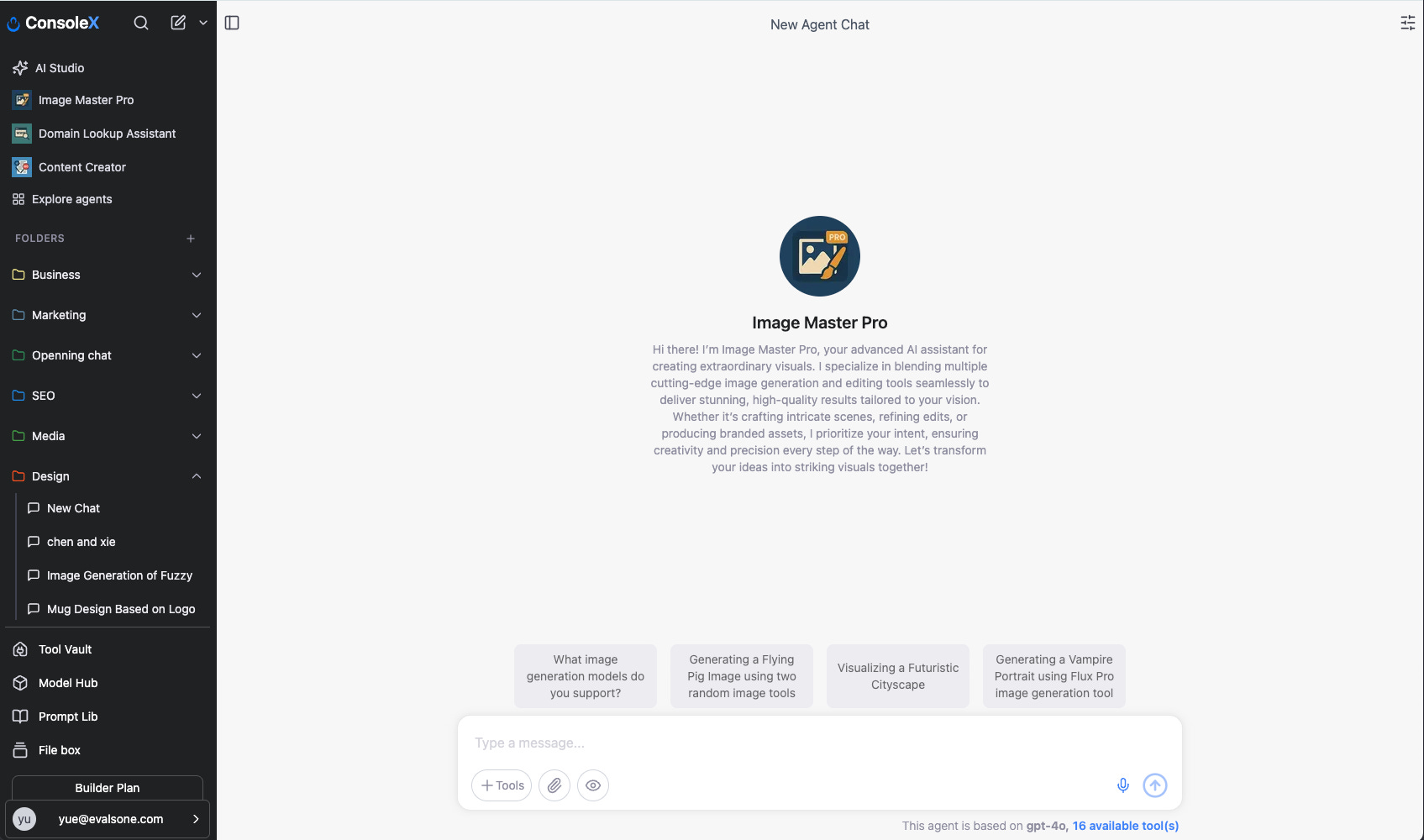
This agent integrates all the mentioned image generation and editing tools. Simply tell it your design requirements, and it will intelligently select the appropriate model based on the task's needs and characteristics, acting like your super design assistant.
What's your experience with these models? Have you discovered unique strengths or applications I haven't mentioned? I'd love to hear your insights in the comments.
Vibe Creators newsletter is operated by ConsoleX AI, the agentic AI studio tailored for creators.